
Vandome Nick
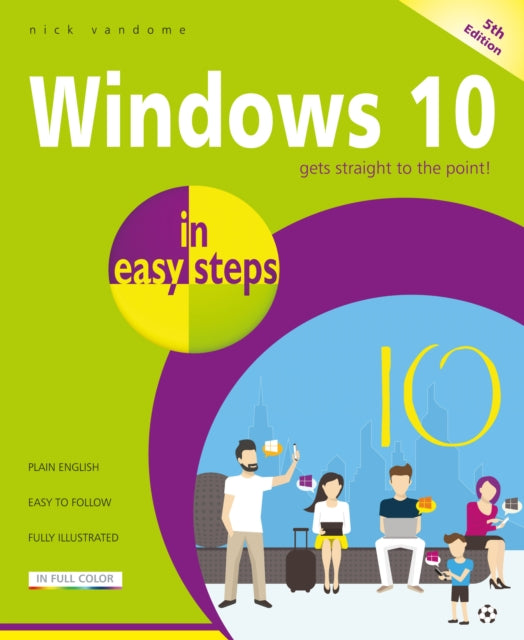
Vandome Nick - Windows 10 In Easy Steps - Paperback
Vandome Nick - Windows 10 In Easy Steps - Paperback
Books
Regular price
$14.61 USD
Regular price
Sale price
$14.61 USD
Unit price
per
Shipping calculated at checkout.
Couldn't load pickup availability
Binding: Paperback
Description: Windows 10 in easy steps 5th edition provides full - color and comprehensive coverage of the latest Windows operating system and shows how to get the most out of it whether you are using a desktop computer or a mobile device. It details the new features and shows how these integrate with the more traditional elements of the operating system including: Upgrading to Windows 10 and personalizing it for your needs. Getting to grips with the Windows 10 interface navigating with the Start menu the Start button and the Taskbar. Customizing the live tiles feature so that you can create your own look and feel. Accessing and downloading apps and how to work with them and organize them. Working with files and folders and using One Drive for free storage and sharing files. Using Cortana the Personal Digital Assistant to search your computer or the web or to perform actions like opening apps or documents. Getting online with the web browser Microsoft Edge and keeping in touch by email and Skype. Perfecting photos viewing movies and playing music and games. It also covers the new features in the November 2019 Update including: An updated Start menu that consists of one column making it more streamlined. (This applies to new P Cs and laptops with the September 2019 Update or new user accounts that are created.) A new Light Theme to give the elements of Windows 10 a crisper look and feel. A greater range of options for how updates in Windows 10 are handled giving you more control over the update process. It is now possible to uninstall a greater range of the built - in Windows 10 apps if required. The Search box and the button for Cortana have been separated on the Taskbar. User accounts can be created so that they can be unlocked without a password but are just as secure. Windows 10 is one of the most significant upgrades in Microsoft's history and Windows 10 in easy steps 5th edition is ideal for newbies and for those wanting to quickly grasp the essentials in the November 2019 Update. Windows 10 in easy steps 5th edition shows readers how to get the most out of it whether they are using a desktop computer or a mobile device. It details the new features and shows how these integrate with the more traditional elements of the operating system. Covers the September 2019 Update.
Title: Windows 10 In Easy Steps
Author(s): Vandome Nick
Publisher: In Easy Steps Limited
Barcode: 9781840788921
Pages: 240 Pages, Full Colour Screenshots, Photographs And Diagrams
Publication Date: 1/21/2020
Series: In Easy Steps
Category: Windows & Variants
Description: Windows 10 in easy steps 5th edition provides full - color and comprehensive coverage of the latest Windows operating system and shows how to get the most out of it whether you are using a desktop computer or a mobile device. It details the new features and shows how these integrate with the more traditional elements of the operating system including: Upgrading to Windows 10 and personalizing it for your needs. Getting to grips with the Windows 10 interface navigating with the Start menu the Start button and the Taskbar. Customizing the live tiles feature so that you can create your own look and feel. Accessing and downloading apps and how to work with them and organize them. Working with files and folders and using One Drive for free storage and sharing files. Using Cortana the Personal Digital Assistant to search your computer or the web or to perform actions like opening apps or documents. Getting online with the web browser Microsoft Edge and keeping in touch by email and Skype. Perfecting photos viewing movies and playing music and games. It also covers the new features in the November 2019 Update including: An updated Start menu that consists of one column making it more streamlined. (This applies to new P Cs and laptops with the September 2019 Update or new user accounts that are created.) A new Light Theme to give the elements of Windows 10 a crisper look and feel. A greater range of options for how updates in Windows 10 are handled giving you more control over the update process. It is now possible to uninstall a greater range of the built - in Windows 10 apps if required. The Search box and the button for Cortana have been separated on the Taskbar. User accounts can be created so that they can be unlocked without a password but are just as secure. Windows 10 is one of the most significant upgrades in Microsoft's history and Windows 10 in easy steps 5th edition is ideal for newbies and for those wanting to quickly grasp the essentials in the November 2019 Update. Windows 10 in easy steps 5th edition shows readers how to get the most out of it whether they are using a desktop computer or a mobile device. It details the new features and shows how these integrate with the more traditional elements of the operating system. Covers the September 2019 Update.
Title: Windows 10 In Easy Steps
Author(s): Vandome Nick
Publisher: In Easy Steps Limited
Barcode: 9781840788921
Pages: 240 Pages, Full Colour Screenshots, Photographs And Diagrams
Publication Date: 1/21/2020
Series: In Easy Steps
Category: Windows & Variants